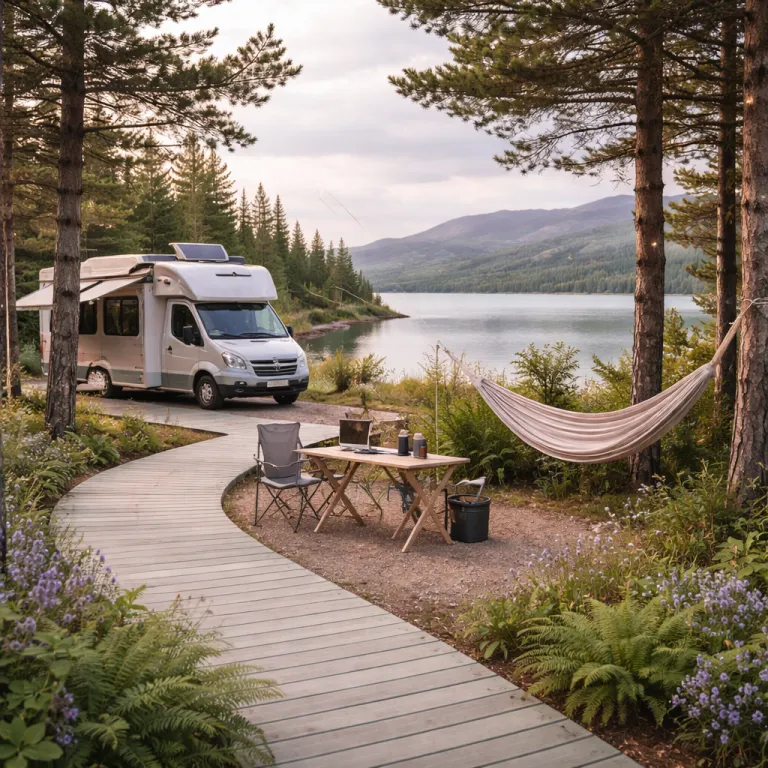
Redefining campground remote work wifi for executive standards
For business leisure travelers, campground remote work wifi is no longer a nice extra but the backbone of the entire trip. When you extend a boardroom week into a long weekend of camping, the quality of internet access decides whether you are signing contracts by the lake or apologizing for frozen video calls. Luxury and premium campgrounds now design pitches and cabins around reliable internet first, then layer on fire pits, river views and private decks.
On a curated booking platform or premium campground directory, the best properties publish real speed internet tests, not vague promises about “good wifi” near the office. Look for concrete numbers, such as 50–200 Mbps download and 10–40 Mbps upload from tools like Ookla Speedtest or Fast.com, plus screenshots taken at peak evening hours. You should expect clear information about average data usage per pitch, the number of connected devices supported and whether access points reach every premium campsite or only the clubhouse. When a campground describes itself as ready for remote work, ask for specific download and upload speed numbers, latency targets under about 60 ms for video calls and which internet providers and internet plans are actually installed on site.
Campground wifi means very different things in a forest valley, a coastal park or a desert plateau, so context matters more than marketing language. In wooded or mountainous areas, even high speed fiber backhaul can be undermined by weak cellular signal and dense trees that block some hotspot devices or satellite internet dishes. The most forward thinking owners now combine wired internet, carefully placed access points and guidance on mobile hotspots, so remote workers can stay connected from their tent deck, Airstream or glass fronted cabin without losing their mind. When you read property descriptions, prioritize those that share coverage maps, access point locations and typical evening speed internet results instead of generic “high speed wifi” claims.
What campground wifi really delivers once you pitch up
Campground remote work wifi often looks perfect on a booking page, then collapses when every rig starts streaming video at sunset. Luxury and premium parks that truly understand remote work publish capacity figures, such as how many simultaneous video calls their network can support at realistic speed internet levels. For example, a park that can sustain dozens of 1080p Zoom meetings at once without dropping below roughly 8–10 Mbps per user is very different from one that slows to 2 Mbps when the pool crowd logs on. When you read that “WiFi and quiet work zones are increasingly standard at modern parks”, remember that standard does not always mean executive ready.
In practice, internet performance depends on three layers working together; the incoming line from internet providers, the internal network of access points and the way guests use data. A park might have excellent satellite internet or fiber, yet still feel slow if hotspot devices and phones are all competing on the same channel near the pool. Before you book, ask whether there is a separate SSID for remote workers, any bandwidth management for streaming video and whether mobile hotspots are allowed as a backup. If possible, request a recent screenshot of a speed test taken from a typical premium campsite during the early evening, when usage is highest.
Different campground types deliver very different connectivity experiences for camping with a laptop. State and national parks usually offer the most dramatic remote landscapes but the weakest coverage for both campground wifi and cellular signal, so a phone hotspot may be unreliable for full time work. High end private parks and premium chains such as KOA are more likely to invest in high speed networks, quiet co working lounges and clear maps of wifi coverage, which makes them better suited to long working stays than rustic forest clearings or basic roadside stops near elegant lakeside resorts in Tennessee for pet loving travelers. When comparing options, note whether the property lists minimum guaranteed speeds, backup internet providers and staffed support hours for resolving wifi issues.
Choosing the right region, pitch and property for remote work
To work calmly from a campsite, you need to think about geography before décor. Flat open terrain near towns usually offers stronger cellular coverage and more internet providers, while deep canyons and dense forests can turn even the best hotspot devices into expensive paperweights. When browsing a luxury booking website, filter for properties that explicitly mention remote work facilities, then cross check their location against mobile coverage maps from your phone carrier. A quick pre trip test is to run speed checks from a nearby town on a previous journey, so you know what your phone hotspot can realistically deliver in that region.
In remote mountain or desert regions, satellite internet and systems such as Starlink have changed what is possible for remote workers. A premium campground that combines Starlink satellite backhaul with well engineered access points can deliver surprisingly high speed wifi to each pitch, although weather and line of sight still affect performance. Typical Starlink users in North America often see around 50–150 Mbps download and 10–20 Mbps upload, according to aggregated user reports and provider documentation, but brief drops and higher latency are common. Ask whether the satellite internet feed is dedicated to work zones or shared with all camping guests, because that single detail often separates a stable morning of video calls from a frustrating carousel of dropped connections.
Property layout matters as much as technology when you plan to stay connected for several days of work. Choose pitches or cabins that sit within 50 to 80 m of the main access points, avoid low hollows where cellular signal pools weakly and look for clear sky views if you rely on your own satellite dish. Lakeside and riverside sites can be ideal if they combine water views with strong campground wifi rather than prioritizing scenery over connectivity. When booking, ask staff to mark the strongest wifi zones on a map and reserve a pitch that aligns with both your work schedule and your need for quiet.
Building a resilient connectivity kit for luxury camping offices
Even at the most polished campground, remote work wifi should never be your only line of defense. A compact connectivity kit turns your tent, cabin or motorhome into a flexible office that can ride out network hiccups without derailing your work. Think of it as a layered system that blends campground infrastructure with your own mobile tools, tested before departure with a simple checklist.
Start with your primary connection, usually the park’s wifi or your phone hotspot, then add a secondary option such as a dedicated mobile hotspot with generous data plans. Many executive travelers now carry hotspot devices that support multiple phones, tablets and laptops, so the whole équipe can stay connected without constantly juggling logins. Popular 5G capable models include the Netgear Nighthawk M6 series, Inseego MiFi X Pro and similar carrier branded units, often paired with 100–150 GB monthly data plans for heavy users. When choosing internet plans, prioritize upload speed and stable latency over headline download numbers, because video calls and cloud based work depend more on consistent, reliable internet than on peak speed internet bursts.
For those who roam through truly remote regions, Starlink or another satellite internet system can be a game changer, especially for full time digital nomads. Pair the dish with a quality router, external antennas and a power setup that includes solar panels or a quiet generator, so your camping office does not shut down when the sun dips behind the ridge. A luxury focused booking platform should highlight which properties welcome personal satellite gear, provide clear sky pads and offer power hookups robust enough to support both work devices and comfort appliances during long stays. Before each trip, run a short pre departure test: connect every laptop and tablet to your hotspots, simulate a day of video calls, check that batteries and chargers hold up and confirm that all cables, adapters and backup power banks work as expected.
Quiet zones, etiquette and keeping your sanity on site
Technology solves only half the challenge of campground remote work wifi; the rest is human. A riverside pitch with perfect signal still feels stressful if your neighbor’s campfire stories overlap your quarterly review. High end parks now carve out quiet work zones, sound controlled cabins and time based rules that respect both leisure campers and remote workers.
Before you arrive, ask the campground staff where remote workers usually set up for focused work. Some properties designate indoor lounges with strong access points, power outlets at every table and clear etiquette about phone use, while others rely on outdoor pavilions where video calls and streaming video are acceptable during business hours. When you share space, use headphones, keep phone hotspot chatter low and avoid pacing around other people’s pitches while you talk through sensitive work data. A simple personal rule is to step at least two pitches away from neighboring campers before taking a long call in the open.
Balancing work and leisure is easier when you treat your camping stay like a well planned offsite. Set defined work blocks, then close the laptop and step into the forest, lake or desert once your last call ends, instead of half working through the evening. As one practical guide for remote workers puts it, “How to maintain work-life balance? Set clear work hours and take breaks.” That simple rule, combined with thoughtful use of wifi, mobile hotspots and satellite internet, helps you stay connected to your team without losing the very sense of escape that drew you to the campground in the first place. Over time, keeping a short post trip review of what worked—speed test results, hotspot performance and noise levels—will make each future working getaway smoother and more predictable.
FAQ about working remotely from a campground
How can I ensure reliable internet connectivity while camping for work ?
To secure reliable internet access, combine three layers; strong campground wifi, a personal mobile hotspot and, in very remote areas, satellite internet. Check coverage maps for your cellular provider before booking and ask the campground for real speed test results, not just marketing claims. Aim for at least 10 Mbps upload and 25 Mbps download per active worker, with latency under about 60 ms for smooth calls, which aligns with common video conferencing recommendations. Carry hotspot devices with generous data plans, and position your workspace close to access points or windows where cellular signal is strongest.
What equipment do I need to work full time from a campground ?
A practical remote work kit includes a laptop, a phone hotspot or dedicated mobile hotspots, a compact router or signal booster, noise cancelling headphones and a stable power source. Many remote workers also bring portable solar panels or a quiet generator to keep devices charged during long stays. Pack cables, adapters and a backup battery bank, so a brief power cut does not interrupt critical video calls or streaming video presentations. For extra resilience, add a small power meter to track consumption and a waterproof case to protect your connectivity gear during travel.
Are state parks or private campgrounds better for remote work ?
Private campgrounds and premium RV resorts usually offer better internet coverage, more access points and clearer information about internet providers and internet plans. State and national parks excel at scenery and quiet but often have limited cellular signal and minimal campground wifi, which makes them less reliable for full time work. A hybrid strategy works well; handle heavy work weeks at well connected private parks, then move to wilder camping areas when your schedule lightens. When in doubt, call ahead and ask whether staff can run a quick speed test from a typical campsite and share the numbers.
How much data do remote workers typically use while camping ?
Remote workers who rely on video calls, cloud storage and occasional streaming video can easily use around 40 GB of data per week, especially when sharing hotspot devices with colleagues or family. Heavy usage days, such as virtual conferences, may require higher data plans or a shift to campground wifi to avoid throttling. Monitor your data usage through your phone or router app and adjust quality settings on calls to stay within your limits. As a rough guide, an hour of HD video conferencing can consume about 1–1.5 GB, based on typical platform estimates, so plan your data budget around your busiest meeting days.
How should I handle calls and meetings without disturbing other campers ?
Choose a pitch away from playgrounds and communal fire pits, or use designated work zones when available. Take calls inside your RV or cabin with windows closed, use headphones and keep your speaking volume moderate, especially during early mornings or late evenings. If you must work from an outdoor table, angle your chair away from neighboring sites and avoid pacing near other people’s camping setups while on the phone. Let nearby campers know your typical meeting times if you are staying several days, so everyone can plan around each other’s quiet hours.